
Choose the question before the metric
Start with a decision you actually need to make. “Did I attend the sessions I planned?” needs a different record from “What load did I use last time?” Collecting more metrics does not automatically make either answer clearer. Write one question, identify the minimum useful information and decide when you will review it.
For a fictional beginner trying to maintain a routine, a weekly note of planned and completed sessions may be enough to reveal repeated scheduling conflicts. That is an organisational observation. It is not a measure of all health benefits and does not establish whether a particular programme is appropriate. Treat a training diary, a studio attendance record and a health-monitoring feature as different tools with different purposes.
Understand what a score does and does not say
When an app presents a score, ask what inputs produce it and what the app says it should be used for. Distinguish a direct record you entered from an estimate, a summary or an inferred recommendation. A precise-looking number can still depend on assumptions, incomplete information or an unfamiliar scale. Do not compare two products’ scores merely because both use a number out of one hundred.
Use the provider’s explanation to check whether the score helps with your original question. If the meaning is unclear, keep the underlying observations separate: what you logged, when you logged it and what the app inferred. A change in the display may reflect different settings or missing entries rather than a meaningful change in you. An app-generated score should not be used on its own to diagnose a condition or determine treatment.
Ask why each permission is needed
Review permissions against the task you want to perform. If you need a class timetable, ask why a feature needs access to a broader category of information. There may be a legitimate explanation for an optional feature, but that does not mean you need to enable it. Check what still works when you decline, and whether you can change your choice later.
| Permission or data | Useful question |
|---|---|
| Notifications | Which messages will I receive, and can I choose their type? |
| Photos or camera | Is this for an optional upload, and who can see it? |
| Health-related data | Which exact information is read or written, and for what purpose? |
| Location | Is an approximate area sufficient, or is continuous access requested? |
| Contacts | What task requires this, and can I use the app without it? |
Avoid entering real personal information merely to evaluate a demo. Use fictional examples that cannot be mistaken for somebody’s health record. If a provider cannot explain a permission, leave the requirement unresolved rather than assuming the app must need it.
Check sharing from the other person’s perspective
Make a simple map of who can see what: you, your coach, studio staff, other clients and the provider. Then inspect the actual sharing controls. A profile that appears private to you may still have a public activity feed or a visible display name. Ask for a demonstration with synthetic accounts when you cannot verify the other person’s view yourself.
For coaching, agree which information is useful and how it will be sent. A class-booking tool may not be the right place for a detailed health history. Do not put sensitive explanations into public comments, session names or a shared calendar. If you send a screenshot for support, remove personal links, names and details that are irrelevant to the problem. Sharing less can make the support request clearer as well as more private.
Read privacy information as a set of questions
A useful policy should help you understand what is collected, why, who receives it and how long it is retained. Check whether the policy covers the product and platform you are using. An old website policy may not explain a newer mobile feature. Record the contact route for questions, and ask for clarification before entering information you would not otherwise share.
Apple’s App Privacy Report can show certain app access and network activity on supported devices. It is an observation tool, not a full independent audit of a product’s privacy practices. Use it alongside the app’s controls and current disclosures. The absence of an entry you expected is a question to investigate, not proof of a particular cause.
For general physical-activity context, the WHO activity guidelines describe public-health recommendations. They do not validate an app’s proprietary score. Keep those evidence types separate when reading marketing claims.
A first-week example: keep the record proportionate
Take a fictional user whose immediate question is whether evening classes fit their working week. Their useful record might contain planned class, actual attendance and a short practical reason for a change. They do not need a public daily weight log to answer that scheduling question. More data would add work and exposure without necessarily improving this particular decision.
At the first review, the user notices two missed evening sessions because work finished late. The next action is to evaluate a different time window. It is not to interpret a lower attendance count as a diagnosis or assume a particular change in fitness. The example shows why the decision should be defined before the dashboard is chosen.
If a record appears wrong, inspect its source before drawing a conclusion. Was it entered manually, imported or estimated? Is the date correct? Are the units consistent? Did the app record a reservation, a completed session or merely a scheduled event? Do not silently change the past just to make a chart look consistent. Correct the entry according to the product’s process and keep any important explanation in an appropriate private place.
If the user shares the weekly summary with a coach, they can agree that only attendance and scheduling difficulty are relevant to this discussion. Other information can be discussed separately through an appropriate channel when it is needed. The point is to match the record and audience to the task, not to assume that every available field should be completed.
- My question: can I attend the chosen session times?
- My minimum record: planned time, attendance and practical conflict.
- My review: compare the actual week with the plan.
- My change: revise one repeated scheduling problem.
Trace one value from its source to the decision it influences
Pick one field, such as recorded workout duration, and trace its path. Was it entered by you, written by a wearable, imported through a platform or calculated by the app? Record the unit, time period and source before comparing it with another screen. Two totals can differ because they cover different dates or include different activities; do not assume that either app is wrong from the total alone.
Apple’s Health data management guide explains how to inspect data sources and their priority. Its platform security documentation describes separate permissions for reading and writing different types of Health data. These platform controls are useful evidence about that integration, not a guarantee about every copy held by the app provider.
| Check | Question to answer |
|---|---|
| Origin | Which device, person or service created this entry? |
| Meaning | Is the value measured, manually entered or estimated? |
| Permission | Which data type can this connected app read or write? |
| Copies | Does the provider retain a separate account record or export? |
| Use | Which practical decision would change if this value changed? |
Use your own settings or a demonstration account to inspect access. Revoking a permission is not the same operation as deleting information already stored elsewhere. Check the provider’s documented deletion process and export first if you want to keep your records. If a figure is influencing a health decision, discuss the interpretation with an appropriately qualified professional rather than treating a coloured trend arrow as an instruction.
Plan export, correction and leaving
Before building a long history, ask how you correct a wrong entry and export what you need. Request an example file and open it. Can you understand the dates, units and labels without the app? Can it distinguish a cancelled booking from an attended session? A downloadable file is useful only if its content remains understandable.
Also distinguish removing an app icon, signing out, closing an account and requesting deletion of stored information. These are different actions; follow the provider’s current process for the result you want. Ask about retention limits and any information the provider must keep, rather than assuming immediate deletion. Your exit plan should name the information you need to keep, the action you will take and where you will ask for help.
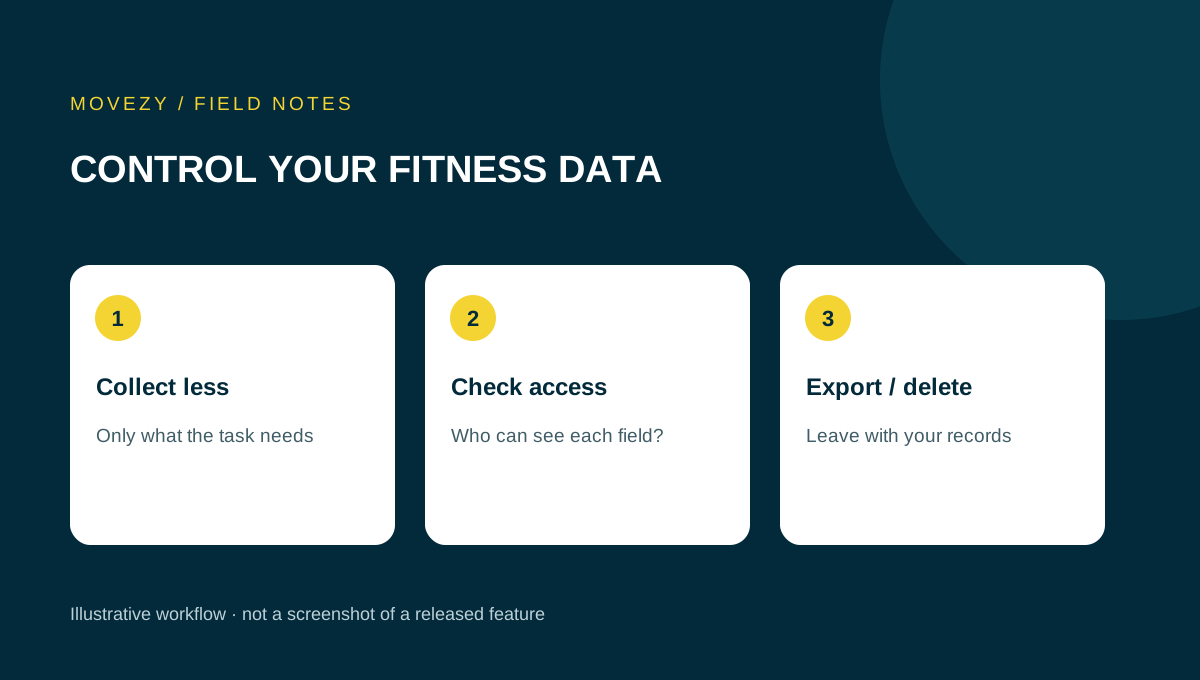
Finish your evaluation with one sentence: “I track __ to decide __, share it with __, and can export or remove it by __.” If you cannot complete it, you have a useful question to resolve. For Movezy’s actual product boundaries, read the current status. Individual training and coaching belong at The Jacked Geek.
Questions you might have
Is an app score a medical diagnosis?
Do not use an app score on its own to diagnose a condition or decide treatment. Check its stated purpose and seek appropriate professional advice.
Should I share my whole health history with a booking app?
First clarify the task, the necessary information and who can access it. A timetable tool may not be the appropriate channel.
Does uninstalling mean my account data is deleted?
Do not assume so. Follow the provider’s separate account and data-deletion procedures.
Put this guide to use
Download the plain-text worksheet, save your own copy and fill it in locally. No signup or submission is needed.
Download the worksheet (.txt)Topics
Sources and scope
The sources support the general principles discussed. Scenarios, tables and worksheets are illustrative Movezy planning aids, not client case studies or individual prescriptions.
Prepared for Movezy with AI-assisted drafting. General planning information, not an individual training or medical plan. Questions or corrections? Contact Martin.
Explore the apps